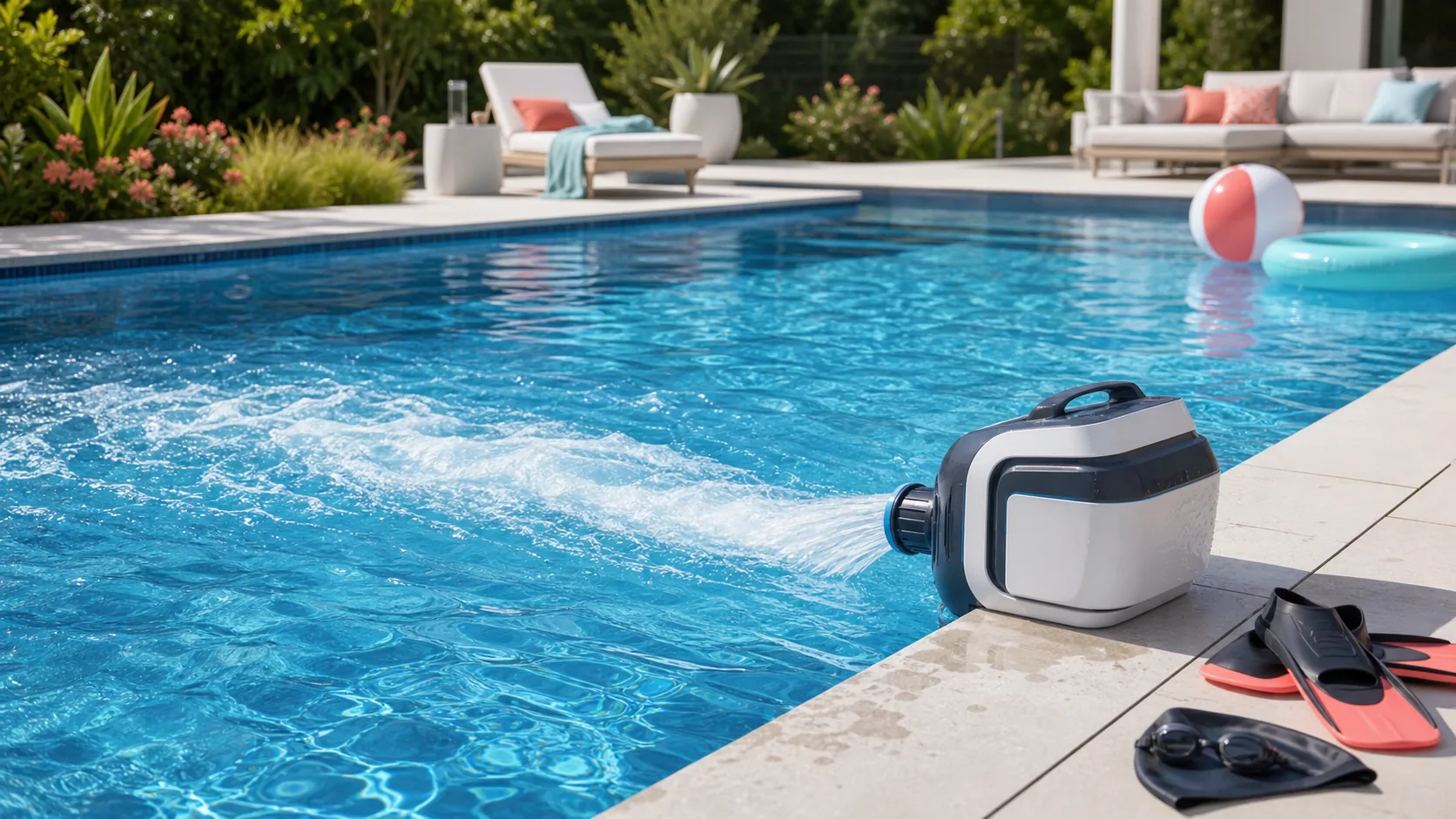
Hands-on review
iGarden Swim Jet X PRO MAX 10 review
A real family pool test of the X35-P60 portable swim jet: play value, training potential, battery life, safety notes, and early reliability observations.
Early ownership review. This page will be updated as we collect more battery tests, photos, videos, and long-term reliability notes.
Quick verdict
Early verdict: 9/10
Recommended if you want a fun, powerful family-pool current
After our first real sessions, I would give the iGarden Swim Jet X PRO MAX 10 a 9/10 provisional score. It is genuinely fun, strong enough to make a normal backyard pool feel more active, and much more useful than a simple pool gadget.
- Recommended if: you want family play, adult cardio, swim resistance and a portable setup without pool renovation.
- Not ideal if: you want a silent built-in counter-current system, zero setup work, or a perfectly mature Home Assistant experience.
- Why not 10/10 yet: we do not have enough long-term ownership time, and battery aging is still the main unknown to watch over the next seasons.
The iGarden Swim Jet X PRO MAX 10 is not just a pool gadget. In our family pool, it turned a normal swim session into games for kids, resistance training for adults, and a surprisingly flexible backyard upgrade.
If you are comparing current availability, retail pricing, or bundles, the official iGarden store is the cleanest place to check what is actually being sold now.
Affiliate link: Smart Pool Review may earn a commission if you buy through this link.
The strongest first impression is not the spec sheet. It is what happened with our 3-year-old daughter: she usually does not like putting her face in the water, but she got so absorbed in playing with the current that she did it naturally, without pressure.
Test pool setup
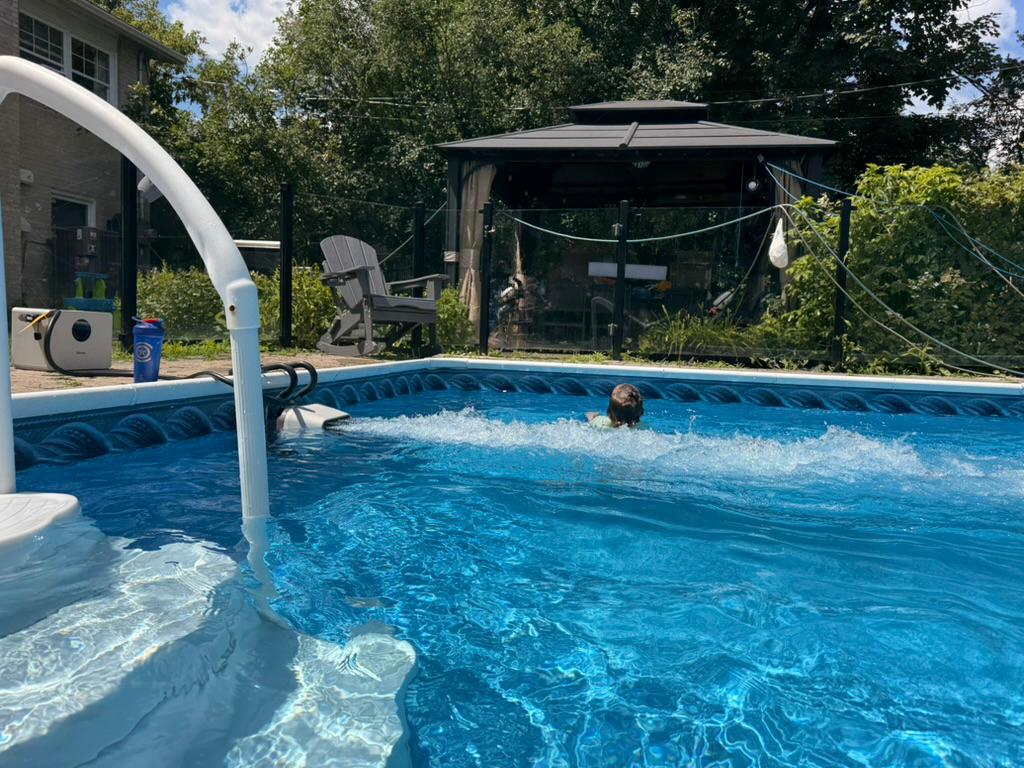
Our current test environment is an in-ground, rectangular, flat-bottom backyard pool configured in the iGarden app at approximately 40 by 20 feet. That matters because a swim jet can feel very different in a small plunge pool, a compact exercise pool, or a larger family pool.
One surprise in a not-so-deep pool: in the shallow end, my feet normally brush the bottom when I try to swim. With the current pushing against me, my body naturally stays more horizontal in shallow water, so swimming in place feels easier and more usable than expected.
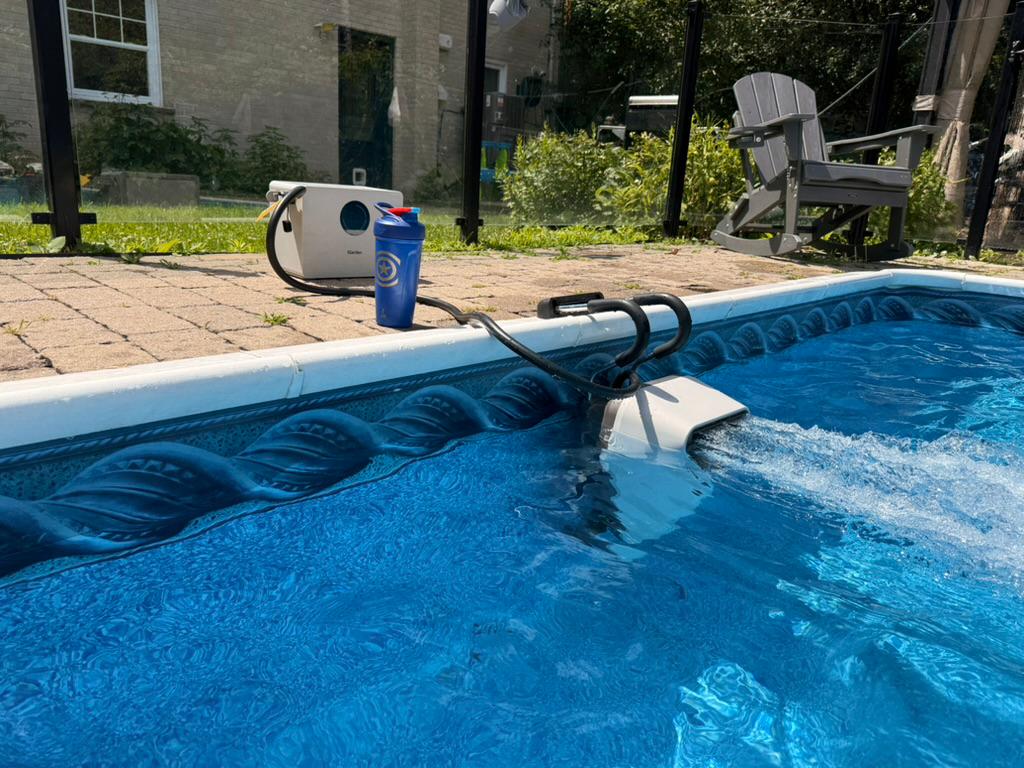
When the unit is set close to the water surface, with roughly 2 to 3 cm of the outlet grille above the water, the current is strongest near the top. About one to two feet below the surface, the current feels much weaker, which is useful during a long session: you can drop lower in the water for a short recovery instead of stopping completely.
Real battery test: better than expected
Our first notable real-world session lasted 61 minutes and 12 seconds. After that swim, the app still showed about 37% battery remaining. That is a strong early result, especially because we expected a portable battery-powered swim jet to drain faster.
The official manual lists the X35-P60 / X PRO MAX 10 runtime as 1.5 to 10 hours depending on speed. The manual breaks it down as approximately P1: 10 hours, P2: 3.4 hours, P3: 2 hours, and P4: 1.5 hours.
The iGarden app also shows six selectable speed labels on the control dial: P1, P2, P3, P4, PE, and PF. The manual runtime table we found documents P1 to P4. In our app, PE starts as a fixed 5-minute block and the app displays that PE/PF cannot be set as timed operation; PF is the interval-style mode we are still measuring for real runtime.
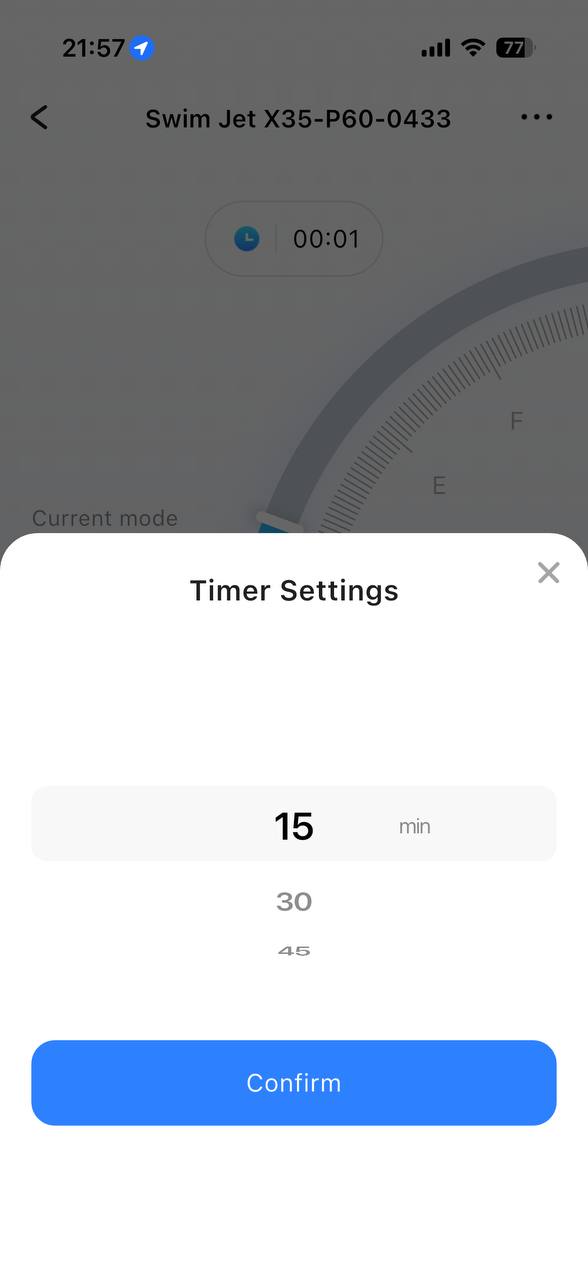
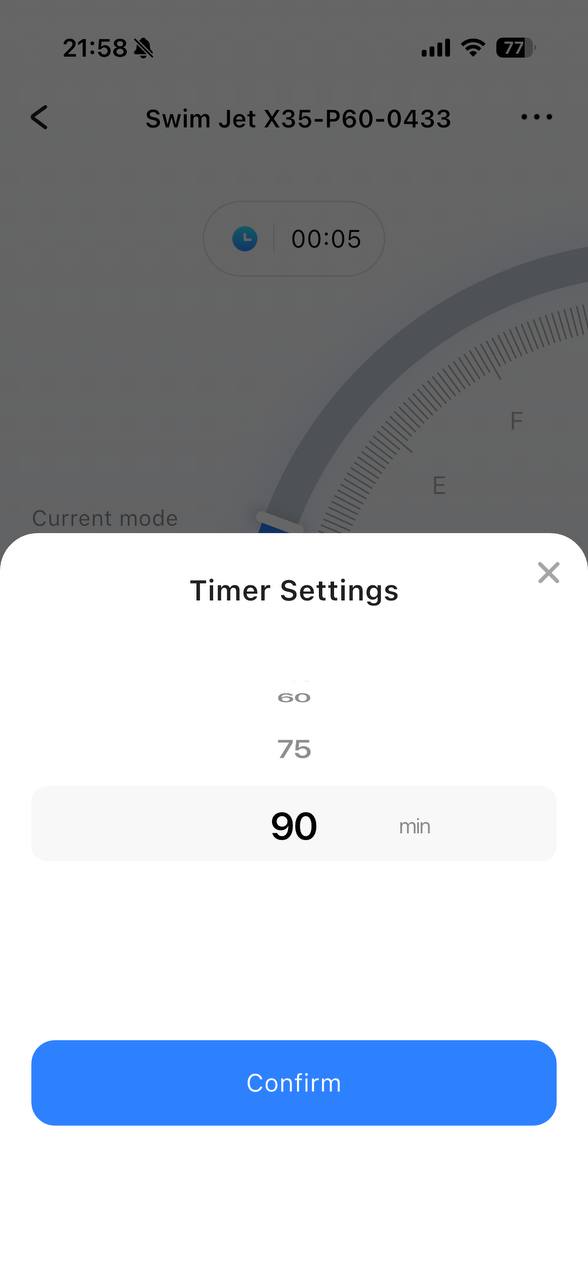
For the regular P1 to P4 modes, the app does offer Timer Settings. The visible timer choices are 15, 30, 45, 60, 75, and 90 minutes, which makes it easier to cap a family play session or a longer training block without relying only on the battery estimate.
Real-world display note: the physical display is useful because it shows Wi-Fi status, the selected program and the battery/charge level. In strong direct sunlight, though, it is not very easy to read. That matters in real pool use because the unit is often sitting in full sun while you are already in the water.
Real-world safety lanyard note: the included safety lanyard does not feel like the strongest accessory. After just one use, it already seemed to show a bit of rust. In practice, I would not treat that as a major deal-breaker, because the Swim Jet itself holds very firmly in place; the lanyard feels more like an extra precaution than something the unit depends on during normal use.
P1
About 10 hours.
Best for gentle current, play, and longer relaxed sessions.
P2
About 3.4 hours.
A useful middle ground for family use and moderate resistance.
P3
About 2 hours.
A stronger current for shorter training blocks and active play.
P4
About 1.5 hours.
The highest documented P-level runtime in the manual.
PE
Fixed 5-minute effort.
Very demanding against the current; in our first try, the hardest push came after about 3 to 4 minutes.
PF
Interval-style mode.
Alternates between lower and higher output and can raise cardio quickly. Runtime still needs more testing.
Why it matters for a family pool
A traditional backyard pool is already fun, but it is often passive: you float, splash, swim a few laps, and repeat. A portable swim jet changes the behavior of the pool. It creates a target, a challenge, a current, and a reason to invent games.
Positioning also changes the feel. When we raise the unit slightly so the outlet grille sits about 2 cm above the waterline, it creates small surface swirls and a gentle water-park or lazy-river effect. That is different from lap-style training, but it is excellent for relaxed family play.
What feels promising
- Transforms a normal pool into active play.
- In our first family session, the children loved it so much that after more than an hour they still did not want to get out, even as they started getting cold.
- Useful for adult resistance and cardio sessions.
- Early battery result is better than expected.
- Portable option without renovating the pool.
What we are watching
- App reliability after the equipment failure message.
- Battery behavior by speed mode, display readability in bright sunlight, and long-term accessory durability.
- Long-term storage and charging habits.
- How often the setup feels worth the effort.
Need to compare the different Swim Jet X models before buying or checking a Kickstarter shipment? We added a dedicated model guide with the X PRO MAX 10, X PRO 5, X and X AIR names, the original X35-P60/X30-P30/X25-P15/X20-P10 codes, and the official manual PDF link: iGarden Swim Jet X models compared.
iGarden app links for iPhone and iPad
The iGarden app is the mobile control app used for iGarden pool equipment. Apple lists it as a free Lifestyle app from FAIRLAND HOLDINGS CO.,LTD, designed for iPhone and iPad, with English, French, and 26 other languages.
For official brand updates outside the app stores, iGarden also maintains an official Facebook page: facebook.com/theiGarden.
We use the U.S. App Store URL as the cleaner international English link. Apple redirects visitors as needed based on their region.
These timer screenshots are from the manufacturer’s iGarden iOS app, not from Home Assistant. They show how the official app exposes timer settings for short and longer Swim Jet sessions.
Wi-Fi pairing note: the Swim Jet X setup uses Bluetooth first, then sends the home 2.4 GHz Wi-Fi details to the unit. For the full step-by-step process, model-family choice and troubleshooting notes, read our dedicated guide: how to pair the iGarden Swim Jet X on 2.4 GHz Wi-Fi.
Home Assistant note: Fairland/iGarden custom integration
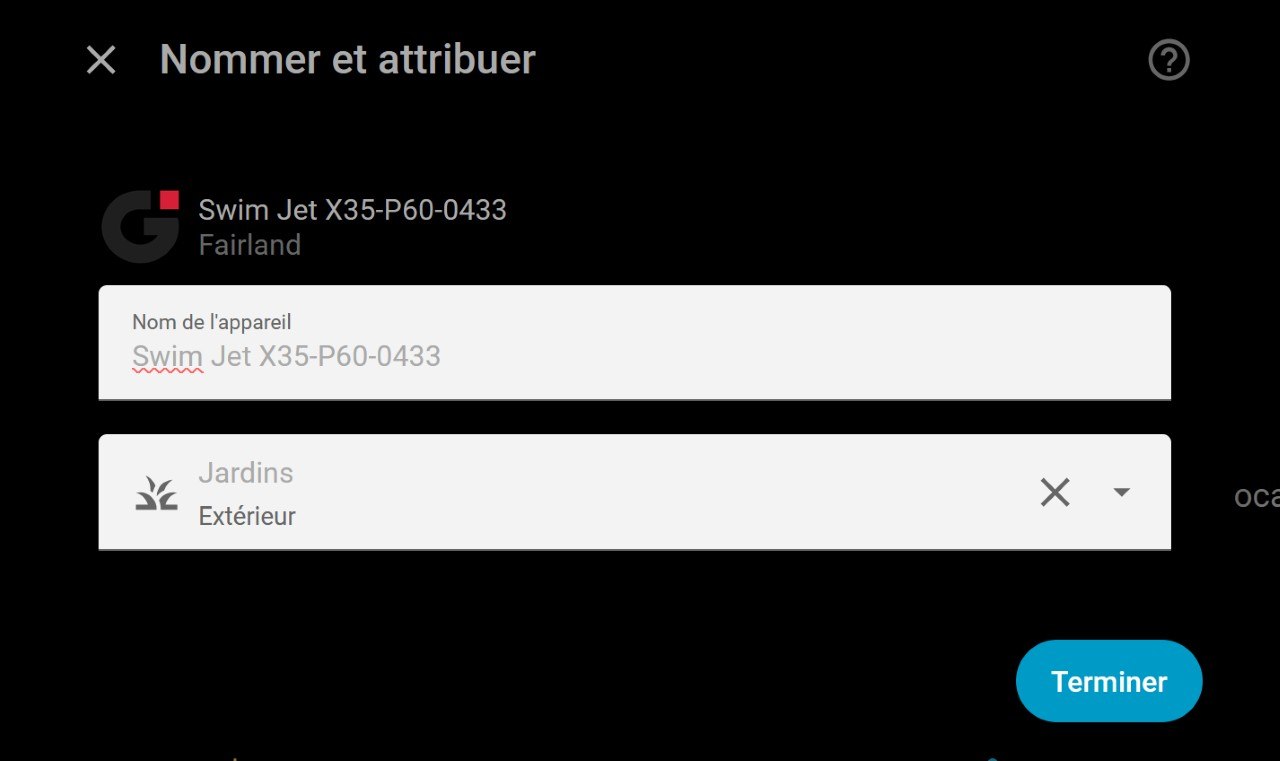
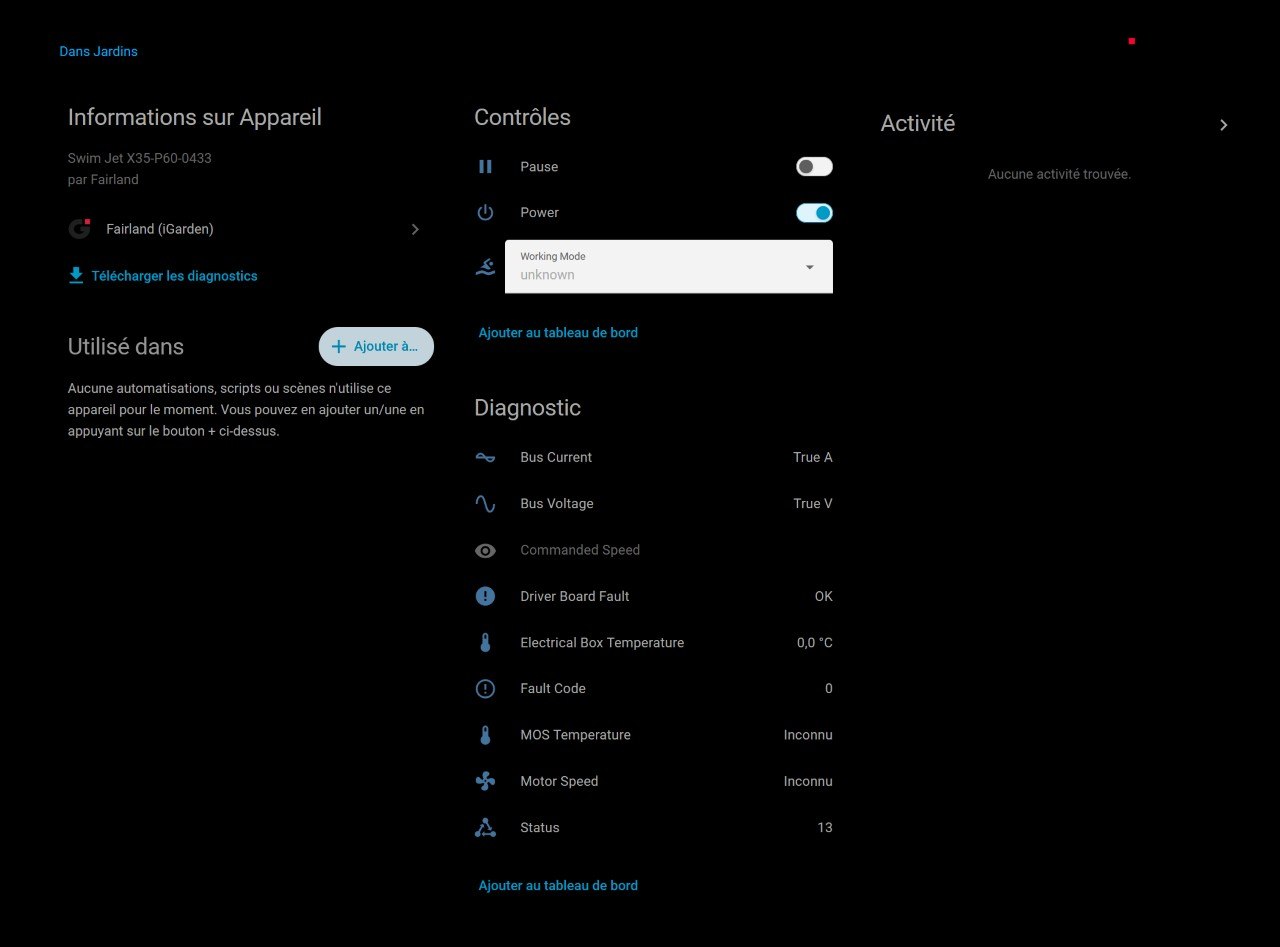
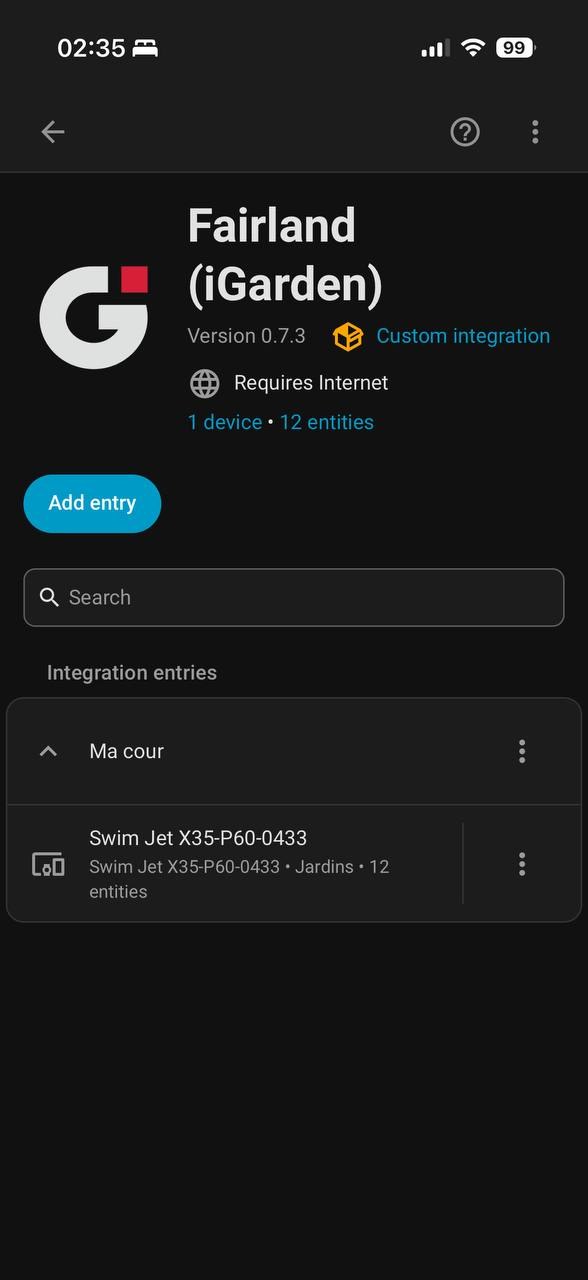
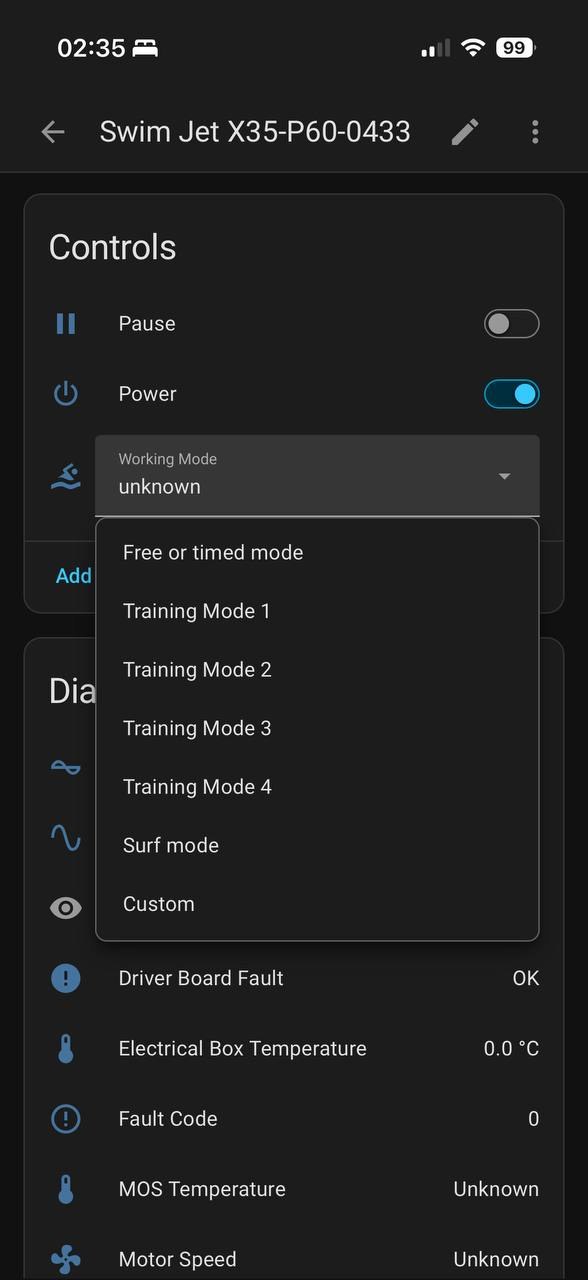
There is also a community Home Assistant custom integration for Fairland/iGarden devices: siedi/ha-fairland on GitHub. In our test, the Swim Jet appears in Home Assistant as a Fairland device, matching what the iGarden app and device metadata show.
The integration connects to the iGarden cloud API directly, not Tuya, and its README lists iGarden Swim Jet counter-current swimming machines among the supported device types. The important caveat is account/session handling: the project notes that iGarden allows only one active session per account, so a separate shared iGarden account is the cleaner approach if you want Home Assistant and the mobile app to coexist.
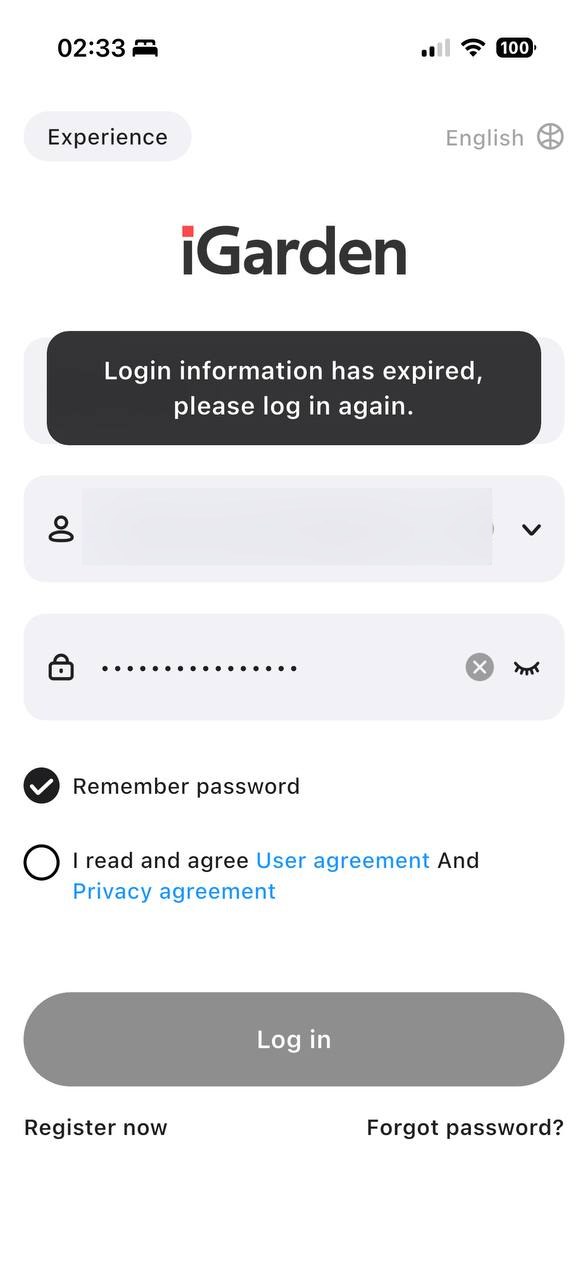
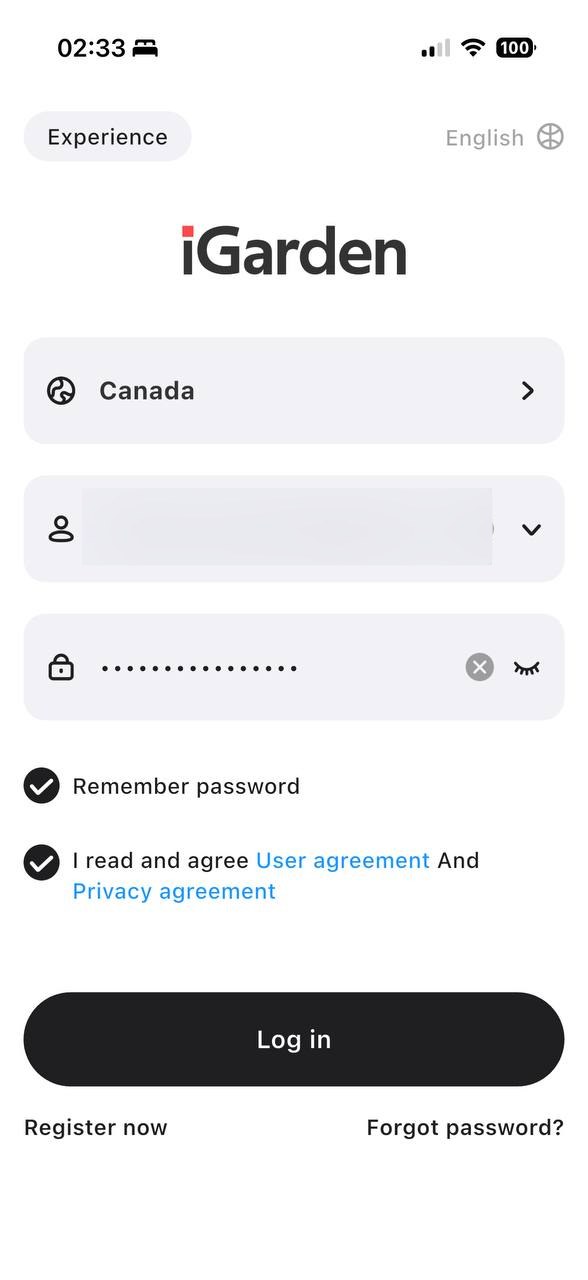
Real-world caveat: this Home Assistant custom integration still feels somewhat immature for everyday use. In our test, once Home Assistant was connected, the iGarden iOS app became harder to use because the login session expired and the app repeatedly asked us to sign in again. For now, I would treat the integration as promising but experimental, not as a friction-free replacement for the official app.
Real screenshots from our setup
These are not stock screenshots: they come from our own Home Assistant setup and the iGarden app session behavior we observed while testing the Swim Jet X35-P60.
Safety and setup notes from the manual
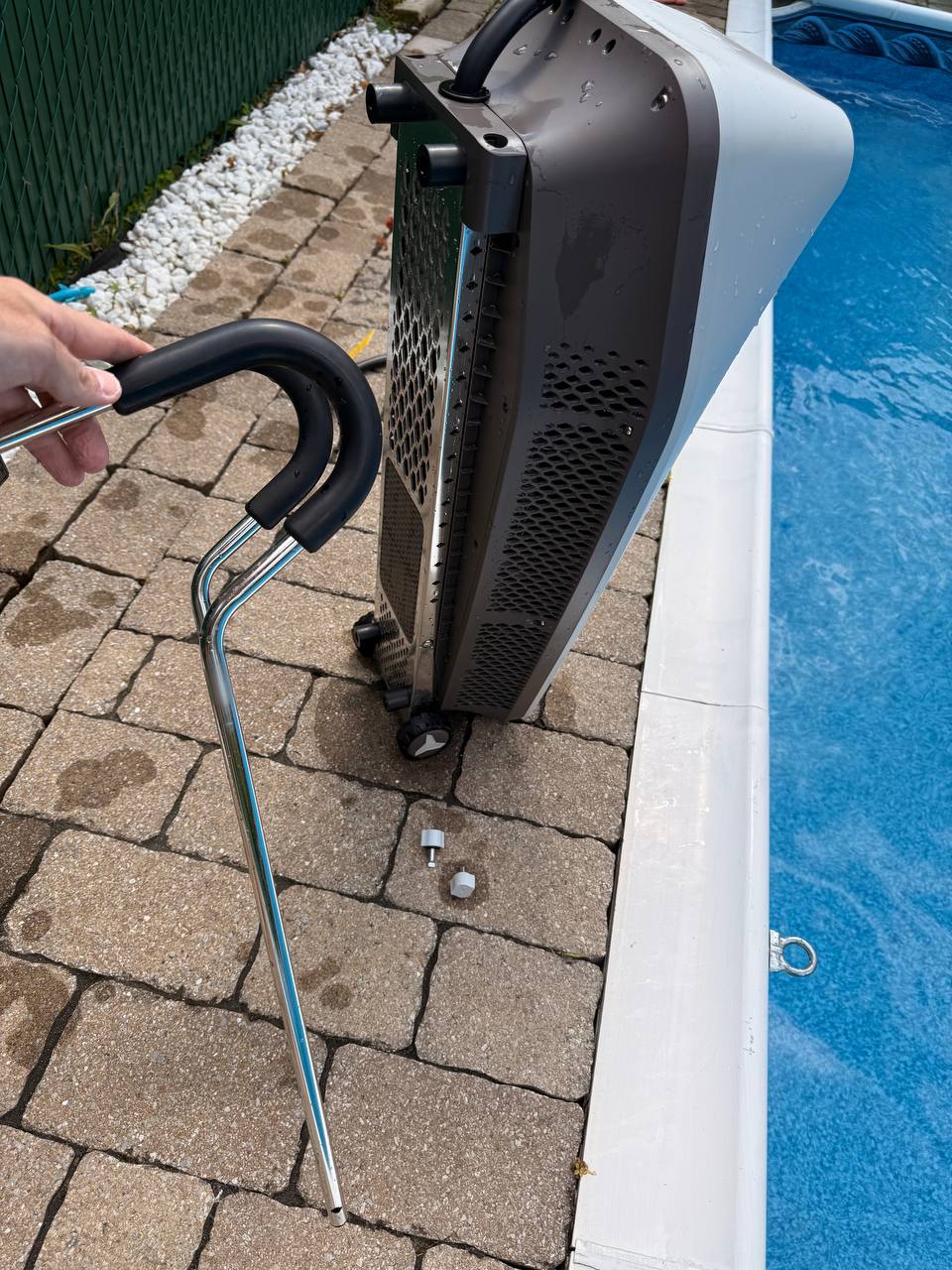
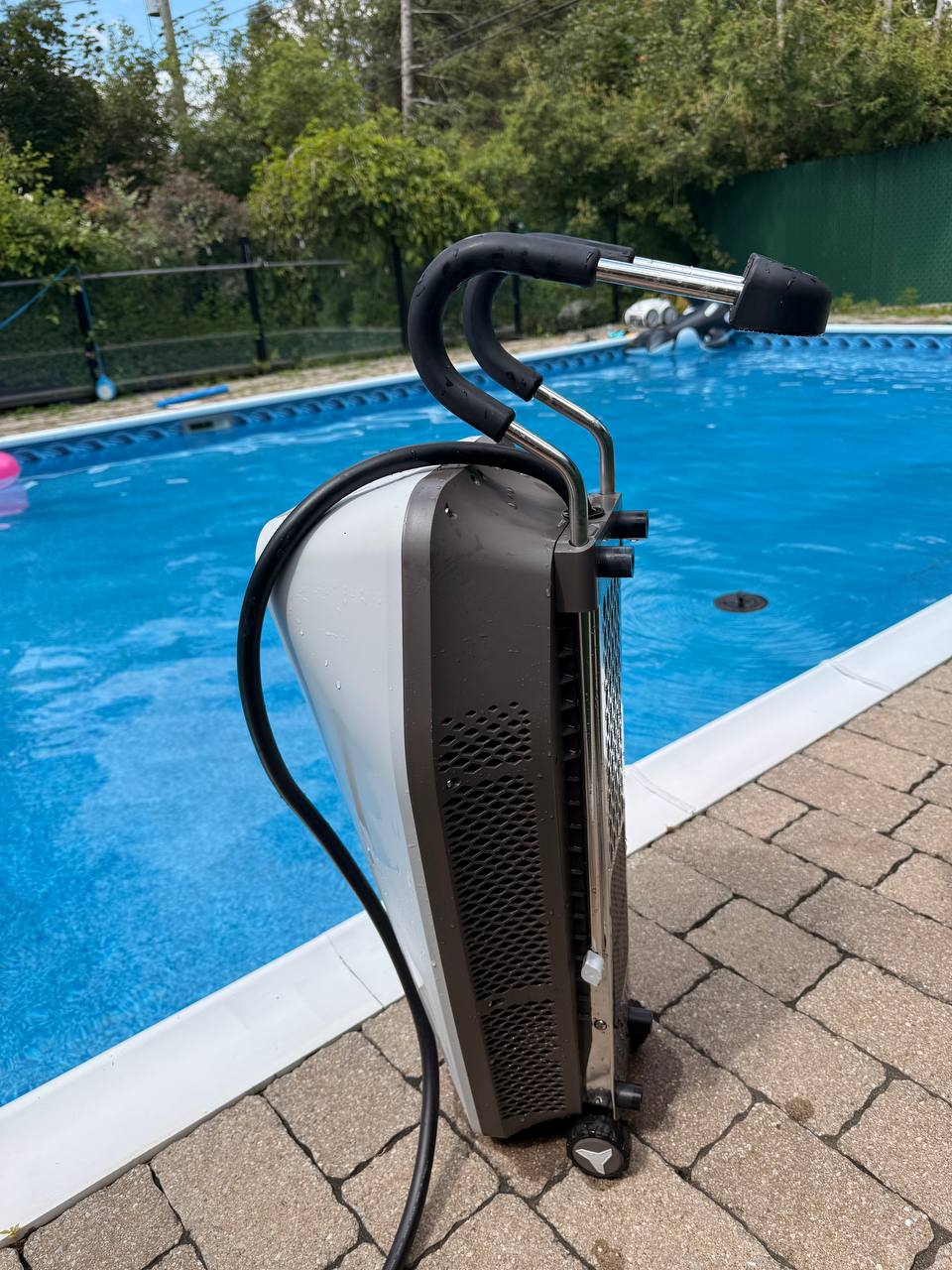
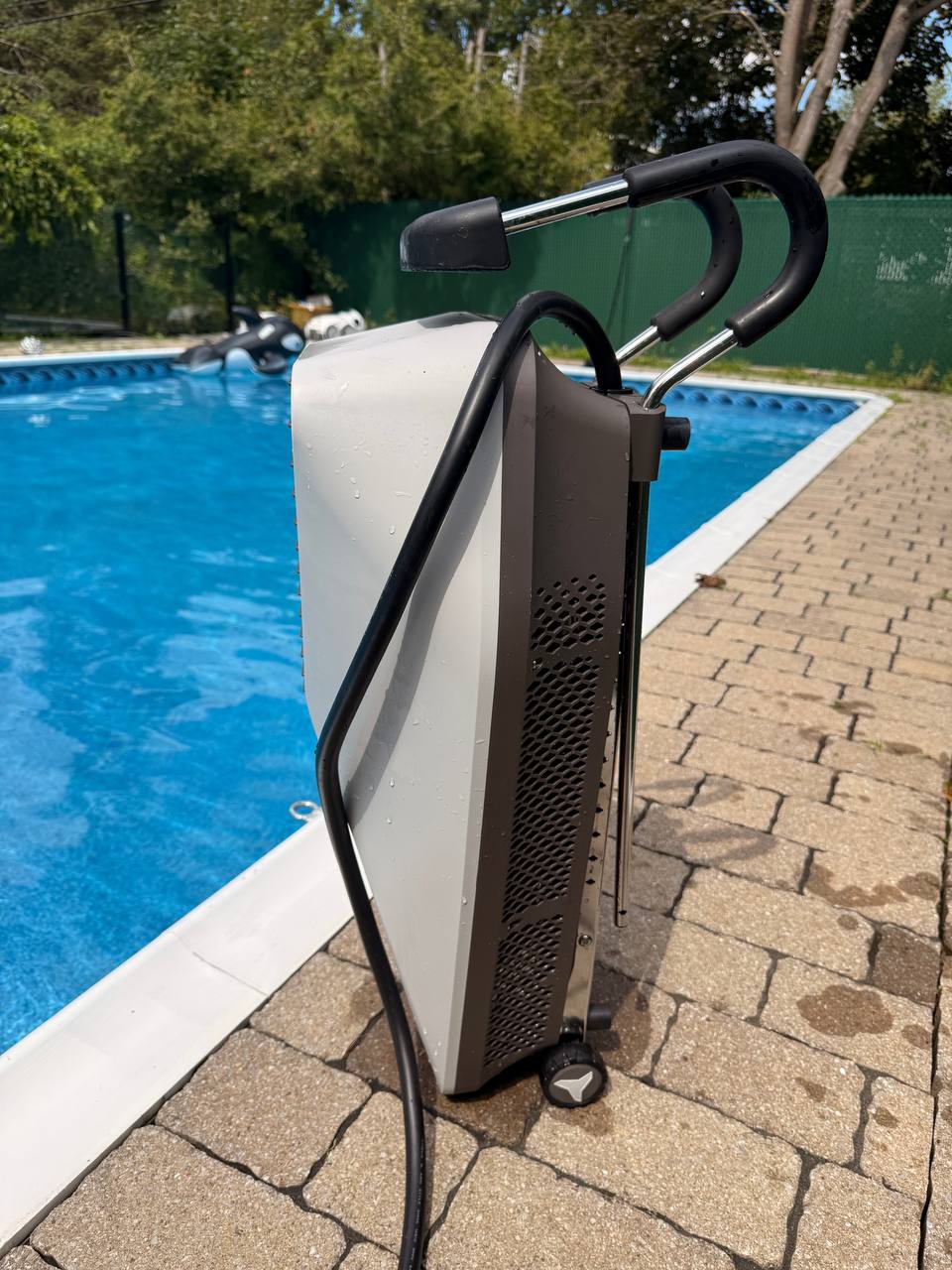
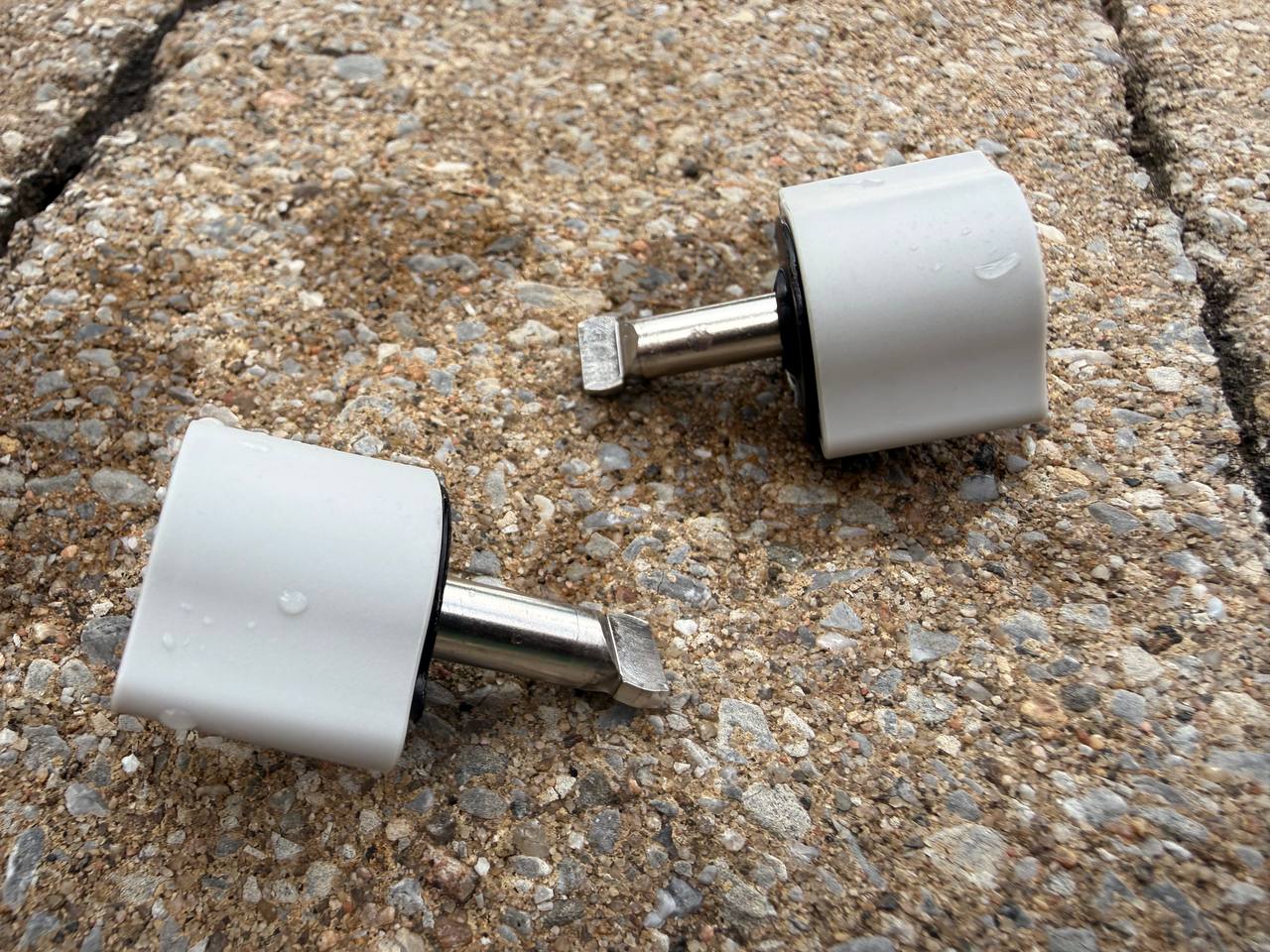
Real-world mounting note: The wall-mount hardware is not very intuitive the first time. The French manual refers to the two “rods” as the jet carrying handle. In practice, that handle is not only for carrying the unit: it also works as the support/base that holds the jet at the right height on the pool edge. The white pieces are locking pins during removal, and adjustment pins in the height-setting step of the French manual; removing them also lets the base rotate so the handle/support can sit in the correct orientation. Before forcing anything, check the connector, route the cable without sharp bends, then rotate the handle and base into place.
Quarter-turn handle release: the close-up photo is important because it shows why the jet carrying handle can feel stuck or backwards. Remove the two white locking pins, then make a quarter turn to release the handle/base orientation. They look like height-adjustment pieces, but they also unlock the rotating base.
Mounting, cable and connector photos
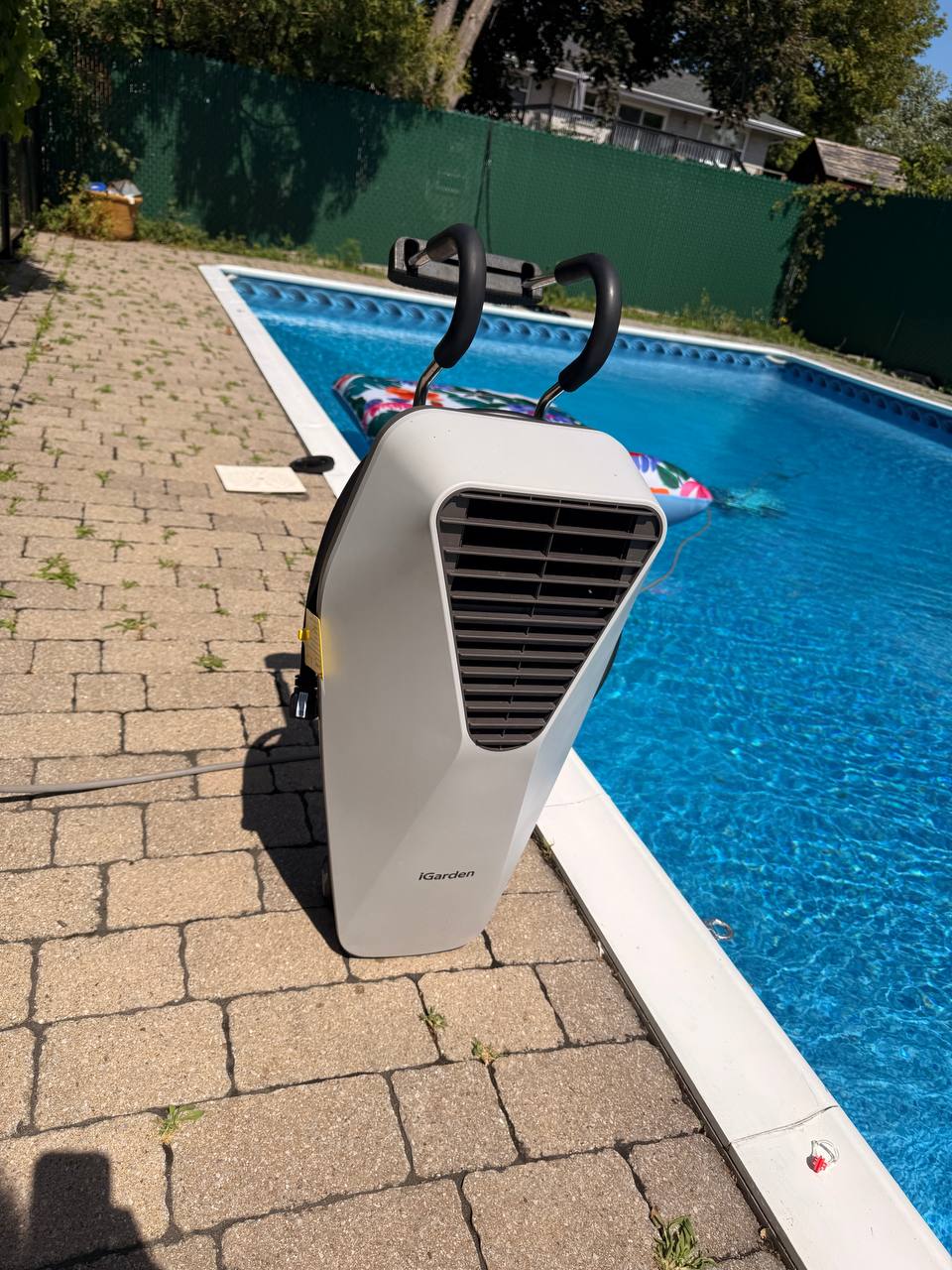
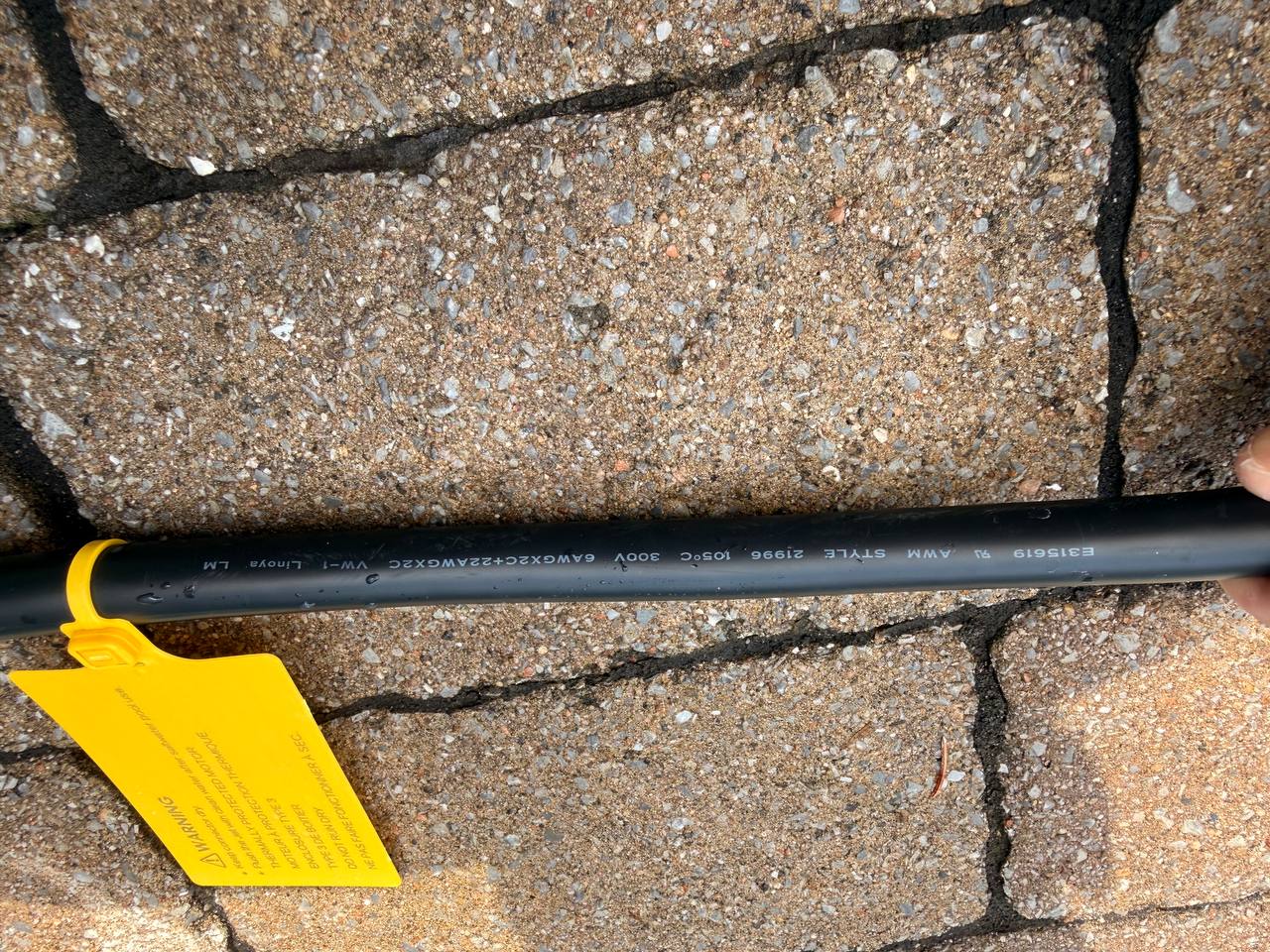
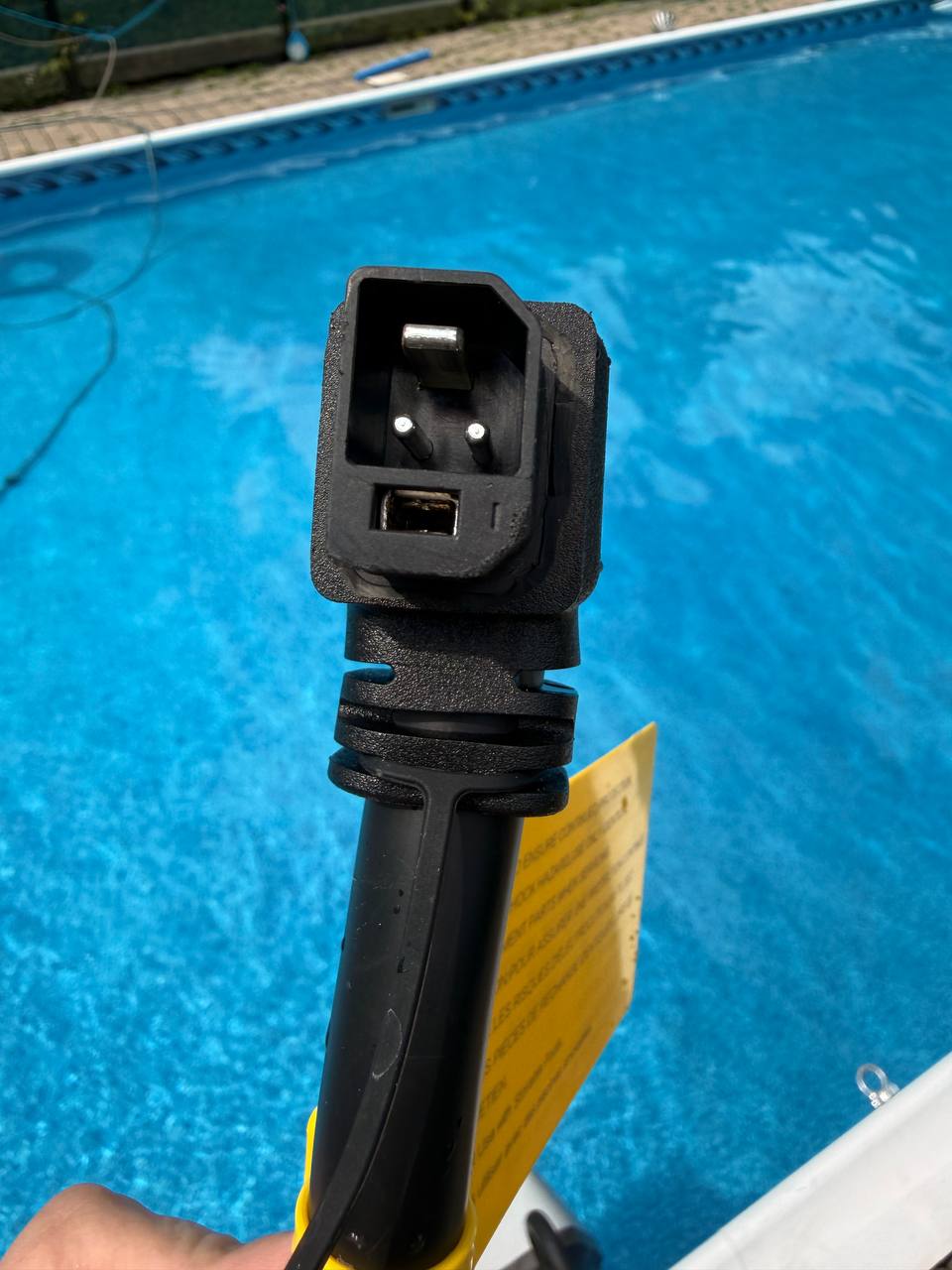
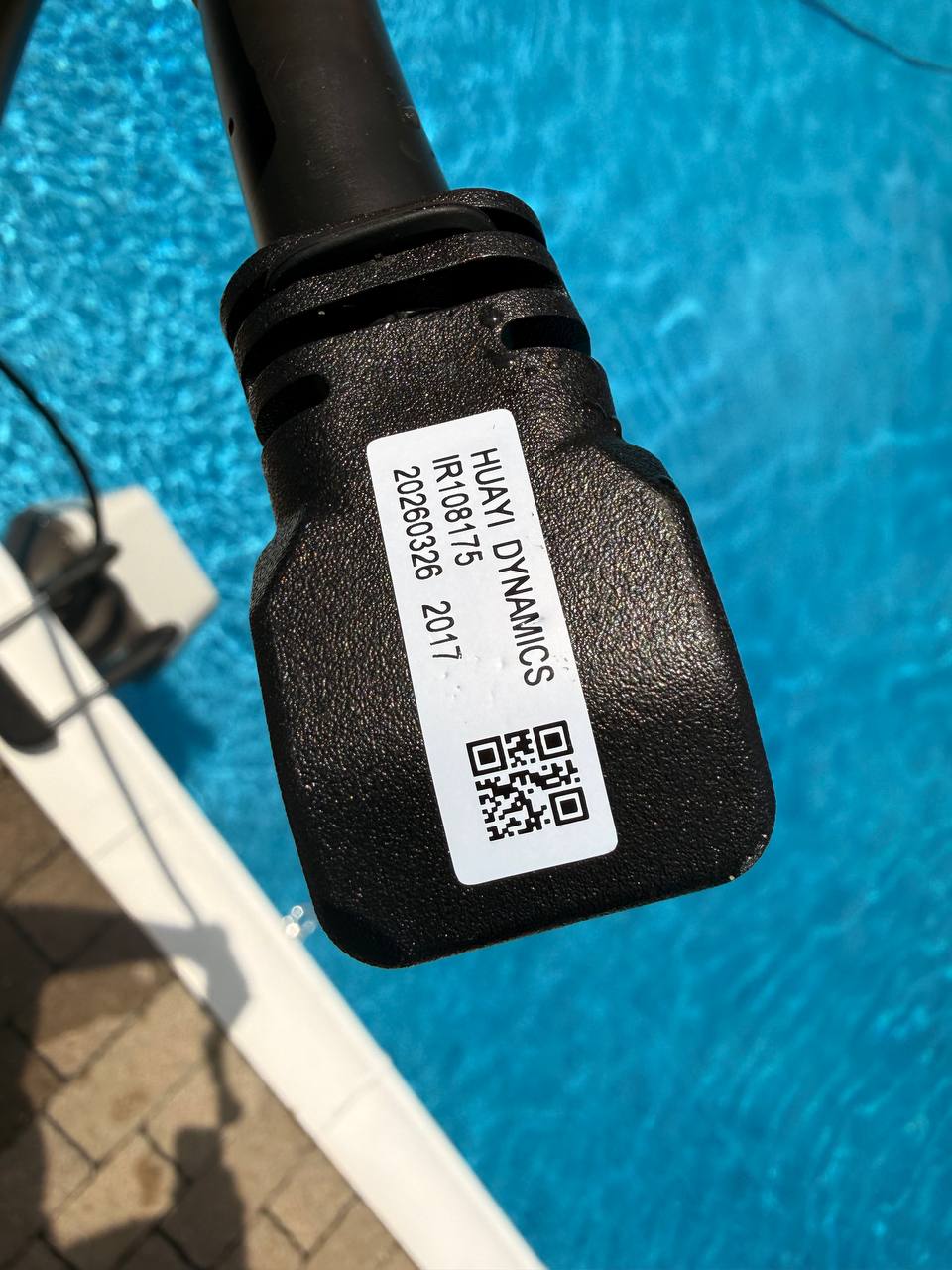
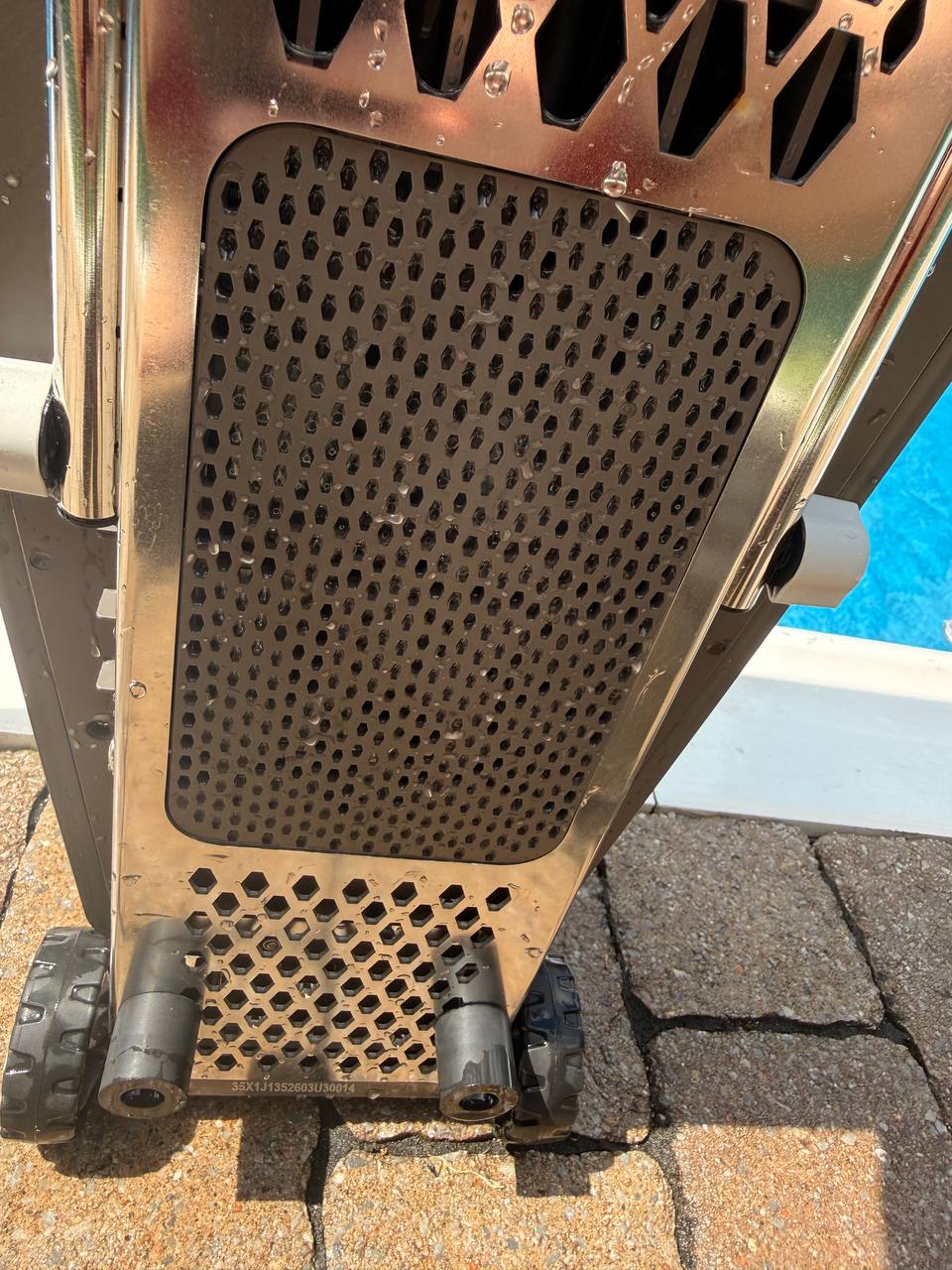
These field photos show the connector, cable markings, warning tags, rear intake, the jet carrying handle used as the support, and the white locking pins from our installation.
Observed markings on our unit: the cable is marked E315619 RU AWM STYLE 21996 105°C 300V 6AWGx2C+22AWGx2C VW-1 Linoya LM. The connector label shows HUAYI DYNAMICS, IR108175, 20260326 and 2017. These markings are from our unit and may vary between iGarden Swim Jet revisions.
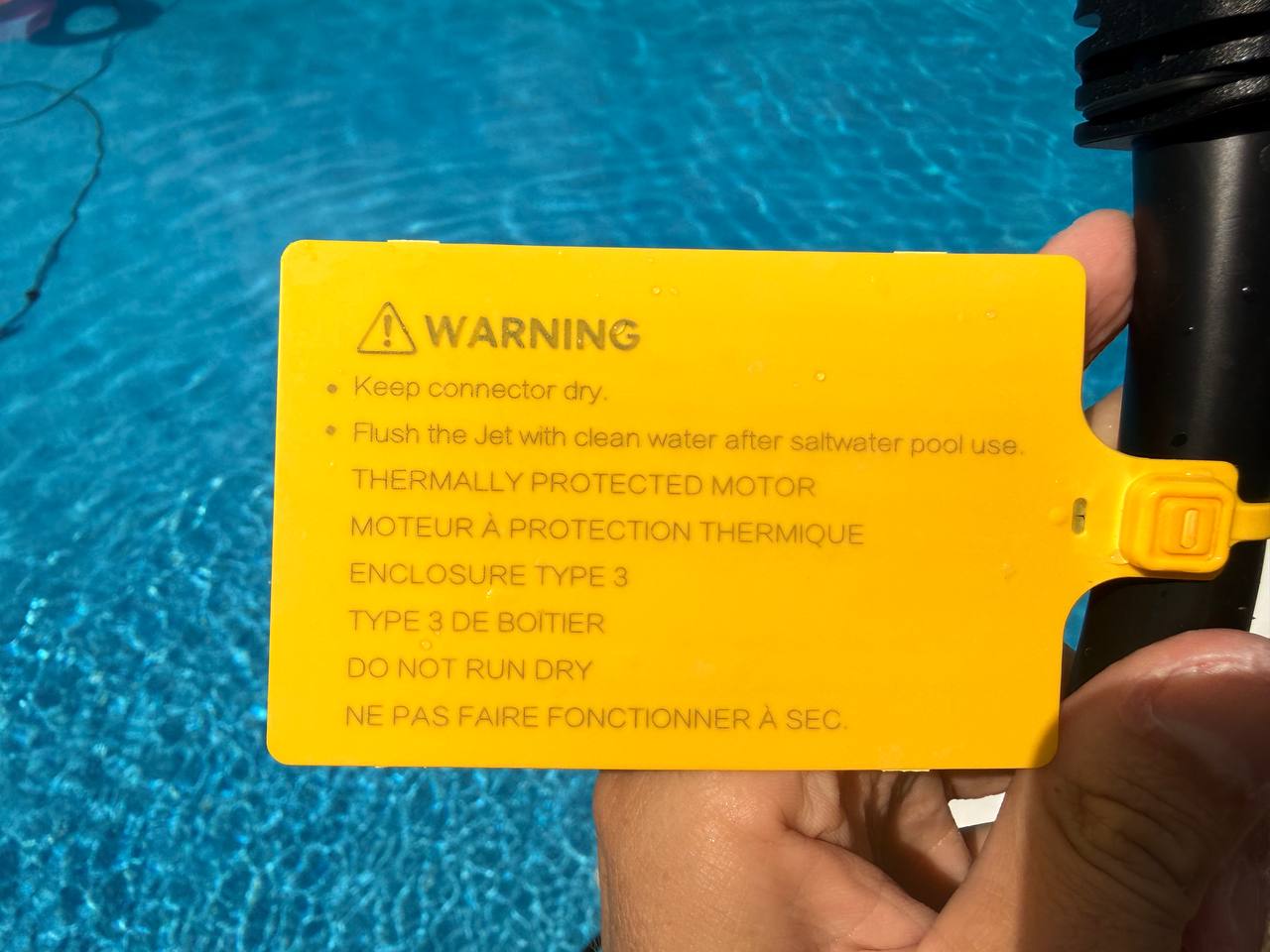
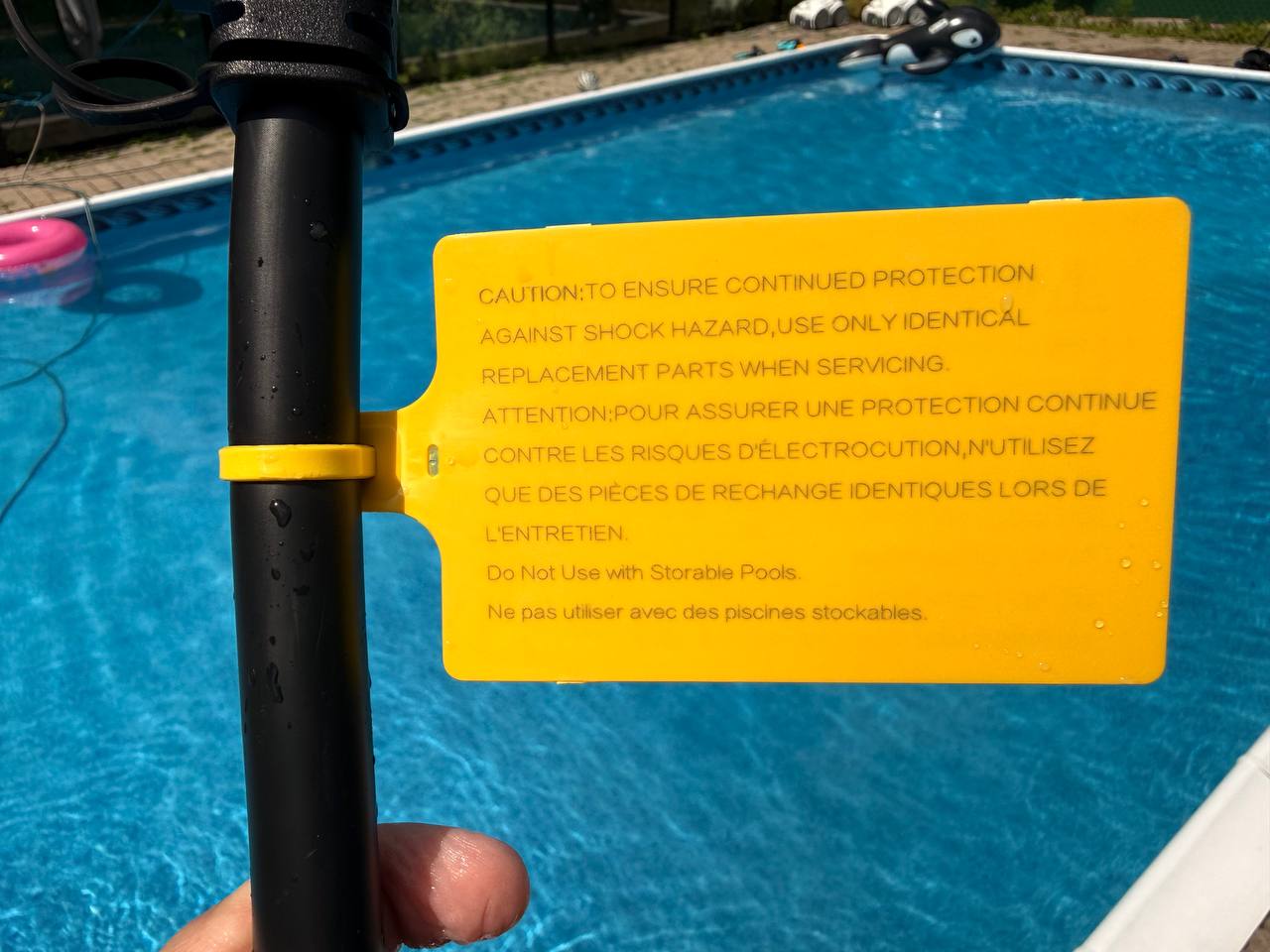
- The manual says not to charge the power box within 3.5 meters of the pool.
- The swim jet should not be turned on outside the water.
- Children under 16 should use it only with adult supervision.
- The rear intake area should be kept clear of hair, clothing, hands, and objects.
- For long-term storage, the manual recommends charging the battery to about 60% and maintaining it every 3 months.
Frequently asked questions
Is the iGarden Swim Jet X PRO MAX 10 worth it?
For a family pool used by both kids and adults, our early verdict is yes. The current is strong, the setup stays portable, and it meaningfully changes a normal backyard pool. Our 9/10 score is still provisional because long-term battery aging is the main unknown.
What battery runtime did we observe?
The manual lists 1.5 to 10 hours depending on speed. In our first real family session, after about 61 minutes in the pool, the app still showed 37% battery, which was better than expected.
Does the Swim Jet X work with Home Assistant?
Yes, it appears through the community Fairland/iGarden custom integration, but we still treat that integration as experimental. In our test, using Home Assistant could make the iGarden iOS app session expire.
Is it useful in a shallow pool area?
Yes. In our pool, the current helps the body stay more horizontal, making stationary swimming easier even in an area where feet normally touch the bottom.
Early recommendation
If you want to transform a normal residential pool into something more active, the iGarden Swim Jet X PRO MAX 10 is genuinely interesting. The early battery result is promising, the current adds a lot of play value, and the product feels more meaningful than a simple pool accessory.
Next updates planned
Photos, video clips, affiliate information, more battery tests by speed mode, and long-term observations.
Looking for an iGarden promo code? Try IGAFF05 for 5% off eligible iGarden products, and use the Smart Pool Review affiliate link so the visit is attributed correctly. Full details: iGarden promo code IGAFF05.